IT Asset & Service Management System
 Saqib Majeed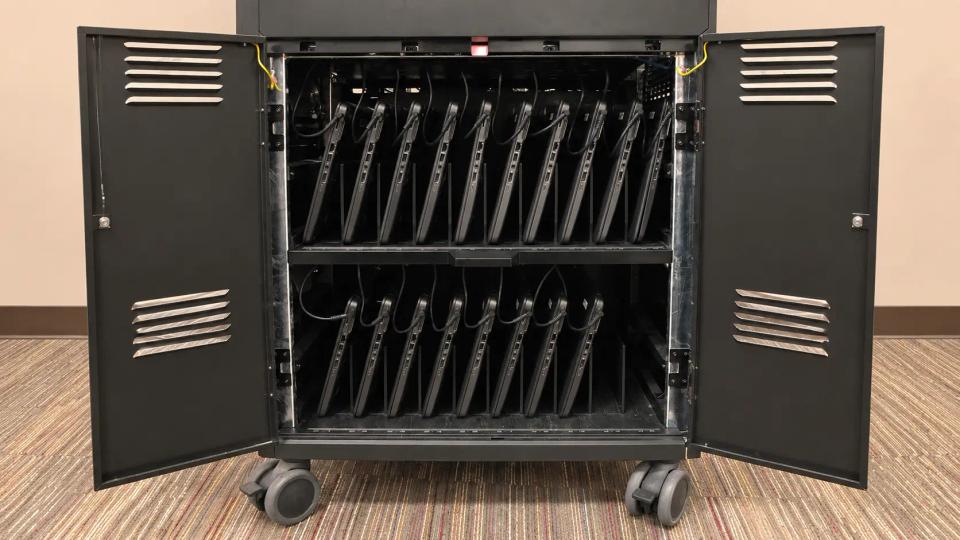
Built a hybrid physical and virtual IT service-management homelab using Snipe-IT and GLPI to track assets, software licenses, device lifecycles, and support tickets. Practiced asset administration, ticket workflows, and IT documentation across physical network equipment, endpoints, and virtual Windows/Linux systems.
IT Asset & Service Management System
Implemented Snipe-IT and GLPI to centralize asset inventory and IT service management for a small elementary school supporting 50+ users and 40+ endpoints. The project replaced spreadsheet-based tracking with a structured system for device ownership, software licenses, maintenance history, and support requests.
Objectives
- Maintain an accurate inventory of school-owned IT assets.
- Improve visibility into device ownership, assignment, and lifecycle status.
- Create a consistent process for staff IT requests and issue tracking.
- Link service tickets to affected devices and users.
- Reduce manual follow-up and improve accountability for outstanding work.
Environment
Asset Management
- Snipe-IT for hardware, accessory, consumable, and license tracking
- Windows laptops and desktops
- Printers, monitors, projectors, phones, and classroom peripherals
- Managed switches, wireless access points, servers, and network appliances
- Microsoft 365 and other software-license records
Service Management
- GLPI for ticketing, request categorization, assignment, and notifications
- Email-based ticket intake for staff
- User roles for requesters, technicians, and administrators
- Asset-to-user and asset-to-ticket relationships
Asset Inventory Implementation
Asset Structure
Configured Snipe-IT to track 40+ endpoints and supporting infrastructure. Created standardized asset categories, including:
- Staff laptops and desktops
- Classroom computers and shared devices
- Administrative workstations
- Printers, monitors, projectors, and peripherals
- Network switches, access points, and server equipment
- Software licenses and subscriptions
Recorded key information for each asset, such as asset tag, manufacturer, model, serial number, location, assigned user, purchase date, warranty status, and lifecycle stage.
Device Lifecycle Tracking
Defined lifecycle statuses to show whether assets were:
- Ready to deploy
- Assigned to a staff member or classroom
- Under repair or awaiting replacement
- In storage
- Retired or disposed of
This made it easier to identify available equipment, locate assigned devices, plan replacements, and avoid purchasing hardware unnecessarily.
Service Desk Configuration
Ticket Categories and Workflows
Configured GLPI with ticket categories for common school IT requests, including:
- Account and password support
- Microsoft 365 and email access
- Wi-Fi and network connectivity
- Printer and classroom technology issues
- Hardware repair or replacement
- Software installation and access requests
- New staff onboarding and device setup
Created ticket priorities and assignment workflows so urgent classroom and administrative issues could be addressed before lower-impact requests.
Roles and Notifications
Configured role-based access for staff requesters, IT technicians, and administrators. Staff could submit and review their own tickets, while IT personnel could assign work, update status, document resolutions, and manage asset records.
Set up automated email notifications for ticket creation, assignment, status changes, technician updates, and closure. This reduced the need for manual follow-up and gave staff clearer visibility into the progress of their requests.
Asset and Ticket Relationships
Linked GLPI tickets to affected users and assets, allowing support issues to be traced back to a specific laptop, classroom device, printer, or network component. Technicians could review a device’s previous incidents, maintenance history, assigned user, and related documentation before beginning troubleshooting.
This improved recurring-issue identification. For example, repeated tickets connected to the same classroom computer or printer could indicate a hardware failure, configuration issue, or need for replacement rather than isolated user errors.
Documentation and Reporting
Maintained records for device assignments, warranty details, license allocations, repair notes, and ticket resolutions. Used inventory and ticket reports to review:
- Devices assigned to each staff member or classroom
- Assets approaching end of life or warranty expiration
- Open and overdue support requests
- Frequently recurring incident types
- Software-license availability and assignments
- Hardware requiring maintenance or replacement
Results
- Centralized asset and service management for 50+ users and 40+ endpoints.
- Documented ownership, location, lifecycle status, warranty details, and maintenance history for school IT equipment.
- Improved tracking of network equipment, peripherals, software licenses, and device assignments.
- Implemented structured ticket categories, priorities, roles, and automated notifications in GLPI.
- Connected service requests to specific users and assets, improving troubleshooting context and issue history.
- Reduced manual tracking and improved visibility into outstanding support requests, device maintenance, and replacement needs.