Linux Server Administration Lab with Ubuntu, Docker & Nginx
 Saqib Majeed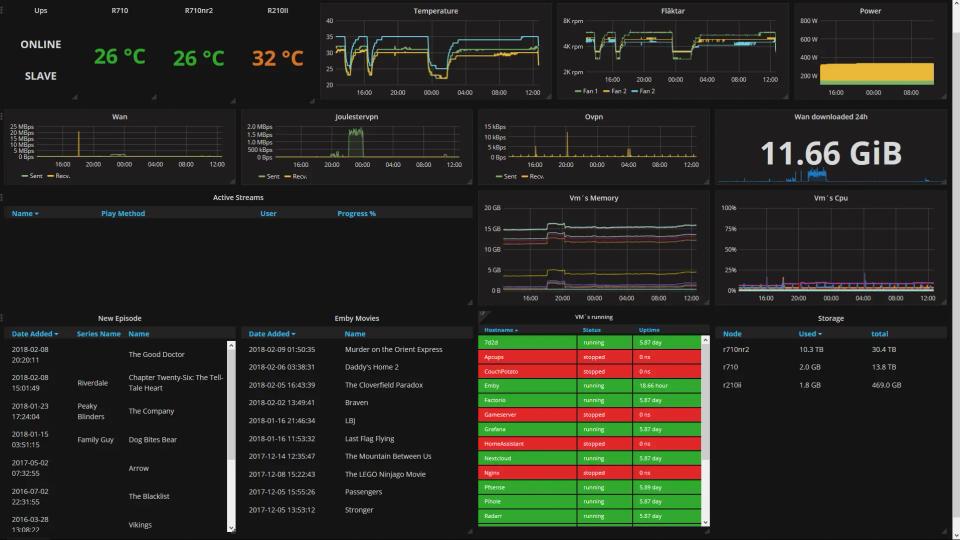
Built a hybrid physical and virtual Linux server homelab with three Ubuntu Server VMs, Docker Compose, Nginx, TLS, and pfSense network controls. Deployed 6+ self-hosted services with automated backups, updates, monitoring, and health checks, maintaining 99%+ availability.
Overview
Built a hybrid physical and virtual Linux server homelab to practice administering secure, self-hosted services in an enterprise-style environment. The lab used three Ubuntu Server VMs alongside physical networking hardware to host containerized applications, control access, automate maintenance, and monitor service health.
Objectives
- Deploy and administer multiple Linux servers with consistent security baselines.
- Host containerized services using Docker Compose.
- Secure remote access, network exposure, and application traffic.
- Automate backups, updates, logging, and availability checks.
- Build practical experience with Linux operations and self-hosted infrastructure.
Environment
Physical and Virtual Infrastructure
- Physical pfSense firewall and managed network infrastructure
- Three Ubuntu Server VMs hosted on a dedicated homelab system
- Segmented network access for servers and administrative devices
- Docker Engine and Docker Compose
- Nginx reverse proxy with TLS certificates
- SSH, UFW, systemd, cron, and shell scripting
Hosted Services
Containerized and maintained six or more self-hosted services using Docker Compose. Services were deployed in separate project directories with persistent volumes, environment-variable files, named networks, restart policies, and documented configuration files.
Each service was isolated within Docker while remaining accessible through Nginx only when required. This reduced direct exposure of container ports and made deployments easier to reproduce, update, and troubleshoot.
Server Provisioning and Hardening
Linux Administration
Provisioned Ubuntu Server virtual machines and performed baseline configuration for each host. Created named administrative accounts, assigned sudo access only where needed, and removed or disabled unnecessary default access.
Secure Remote Access
Configured SSH administration by:
- Creating separate administrator accounts rather than using root directly
- Enforcing SSH key-based authentication
- Disabling direct root login
- Restricting access to approved users
- Reviewing authentication logs for failed or unexpected login attempts
Network Controls
Configured UFW firewall rules to allow only required traffic, such as SSH from the management network and HTTP/HTTPS through the reverse proxy. Combined host-based firewall rules with pfSense network controls to provide layered protection for the server environment.
System Services and Maintenance
Used systemd to manage host services and ensure required processes started automatically after boot. Configured automated security updates and regularly reviewed package updates, disk usage, memory consumption, and system logs.
Set up log rotation to prevent application and system logs from consuming excessive disk space. Used journalctl, Docker logs, and system monitoring commands to troubleshoot failed services, container restarts, network issues, and permission errors.
Dockerized Service Deployment
Docker Compose Management
Deployed services with Docker Compose to define containers, networks, storage volumes, restart behavior, environment variables, and port mappings as version-controlled configuration. This allowed services to be rebuilt quickly after changes or host recovery.
Operational Controls
- Persistent Docker volumes for application data
.envfiles for configuration and secrets management- Restart policies for automatic container recovery
- Health checks to identify failed or unresponsive containers
- Resource limits or usage monitoring where appropriate
- Dedicated Docker networks to limit unnecessary container-to-container communication
Reverse Proxy and TLS
Configured Nginx as a reverse proxy to route HTTPS traffic to internal Docker services without exposing application ports directly to the network. Created separate virtual-host configurations for each service and used TLS certificates to encrypt browser-to-server traffic.
Proxy Controls
- HTTP-to-HTTPS redirects
- TLS certificate deployment and renewal
- Reverse proxy headers
- Service-specific hostnames or subdomains
- Access and error logging
- Basic request-size and timeout controls
Backup, Monitoring, and Recovery
Automated Backups
Created scheduled backup jobs for Docker volumes, application data, configuration files, and database exports. Backups were retained separately from active service data and tested through controlled restoration of selected files and services.
Backup Workflows
- Exporting database backups on a schedule
- Archiving persistent Docker volumes and Compose configurations
- Retaining dated backup copies for recovery points
- Logging backup success or failure for review
- Verifying restored application data in test scenarios
Availability and Resource Monitoring
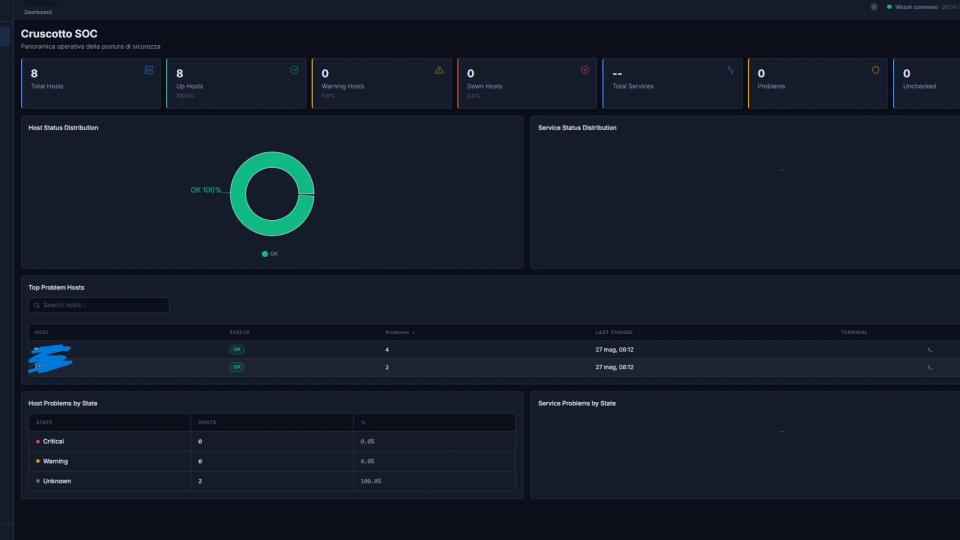
Configured health checks and restart policies to recover failed containers automatically. Monitored host and container availability through Docker status, system logs, disk capacity, CPU and memory usage, and service-level checks.
Maintained 99%+ service availability across the homelab by addressing expired certificates, full disks, failed containers, incorrect permissions, and application configuration issues before they became extended outages.
Results
- Deployed and administered three Ubuntu Server VMs in a hybrid physical and virtual homelab.
- Containerized and maintained six or more self-hosted services with Docker Compose.
- Secured remote administration with SSH keys, non-root access, UFW firewall rules, and segmented network controls.
- Configured Nginx reverse proxying, HTTPS/TLS, and centralized access for multiple services.
- Automated updates, backups, log rotation, health checks, and container recovery.
- Maintained 99%+ service availability while gaining hands-on experience in Linux administration, Docker operations, reverse proxying, monitoring, and incident troubleshooting.