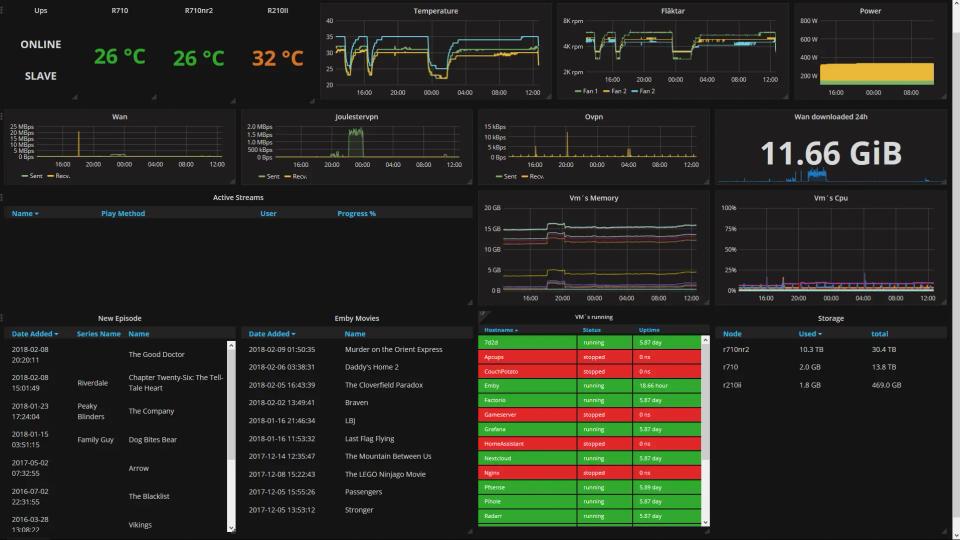
Enterprise IT & Security Homelab with Active Directory, pfSense & Wazuh
 Saqib Majeed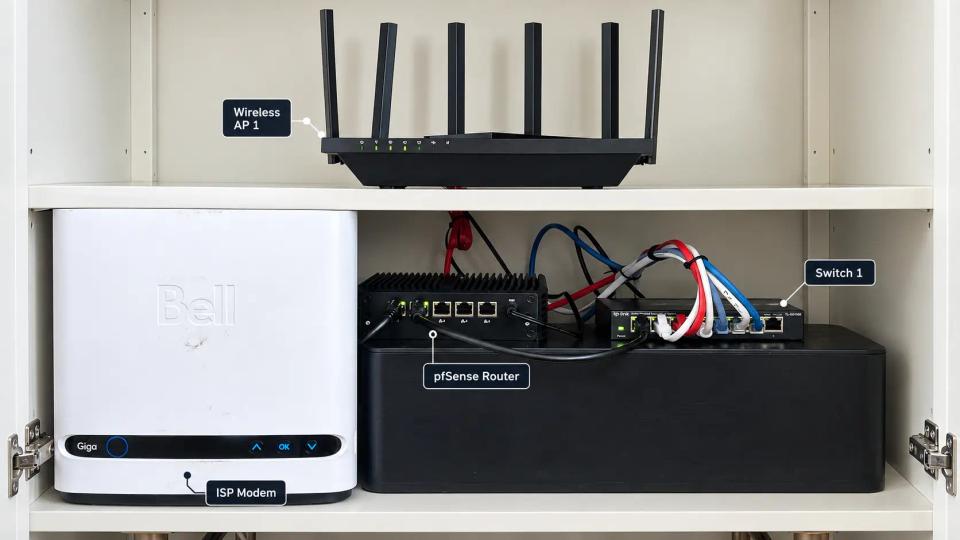
Built a hybrid physical and virtual enterprise security homelab with pfSense, VLAN segmentation, Active Directory, Windows Server, Sysmon, and Wazuh across 15+ systems. Simulated six attack scenarios and developed 20+ detections to investigate authentication abuse, suspicious PowerShell, privilege escalation, malware activity, and lateral movement.
Enterprise IT & Security Homelab with Active Directory, pfSense & Wazuh
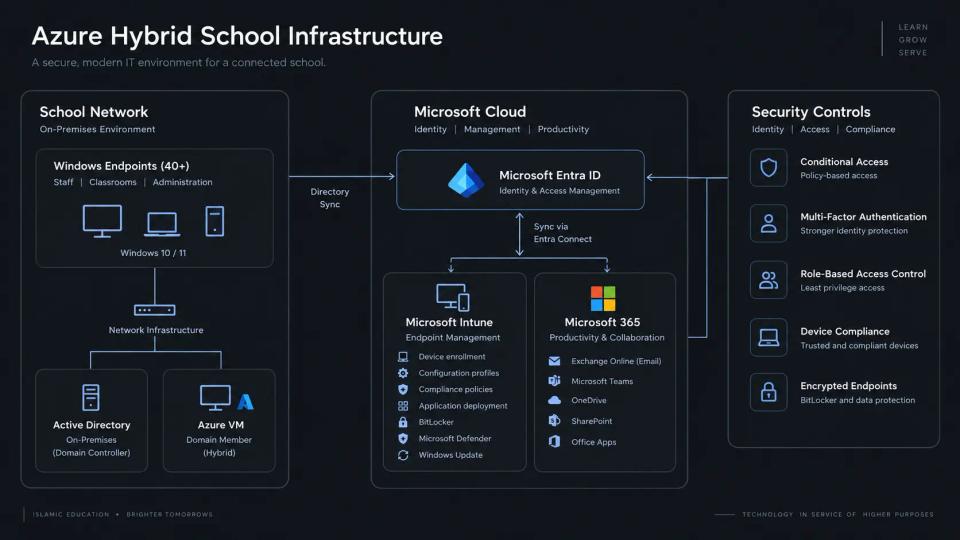
Built a hybrid physical and virtual enterprise security homelab on my home network to practice Windows administration, network segmentation, endpoint hardening, threat detection, and incident response. The environment combined real networking hardware, physical endpoints, and 15+ virtual machines to replicate a small enterprise with separate user, server, guest, and security-management systems.
Objectives
- Build a segmented enterprise-style network using physical firewall and switching hardware.
- Centralize identity, DNS, DHCP, endpoint policy, and access control with Active Directory.
- Apply practical Windows and network-security controls.
- Collect endpoint and server telemetry in a central SIEM platform.
- Simulate common attacks and validate detections, firewall rules, and investigation workflows.
Infrastructure
Physical Environment
- Dedicated pfSense firewall/router appliance
- Managed switch configured with IEEE 802.1Q VLAN trunking
- Physical Windows and Linux endpoints connected to separate network segments
- Home lab host running virtualized Windows and Linux systems
- Isolated wired and wireless test networks for user, guest, and management access
Virtual Environment
- 15+ virtual machines
- Windows Server running Active Directory Domain Services, DNS, DHCP, and Group Policy
- Four Windows 10/11 clients representing standard users, administrators, and test endpoints
- Linux servers for Wazuh and supporting services
- Kali Linux attack workstation
- Additional domain, endpoint, and testing systems
Technologies
- pfSense, VLANs, managed switching, firewall rules, DHCP, DNS
- Windows Server, Active Directory, Group Policy, Windows 10/11
- Wazuh SIEM/XDR, Sysmon, Windows Event Forwarding
- Microsoft Defender Antivirus and Windows Defender Firewall
- PowerShell logging, script-block logging, command-line auditing
- Linux, Kali Linux, PowerShell, and virtual machine management
Network Design
Designed pfSense as the central routing and security boundary for the lab. Configured tagged VLAN trunking between the firewall, managed switch, virtualization host, and physical devices so that virtual and physical systems could communicate through the same controlled network.
Created five VLANs to separate systems by trust level and purpose:
| VLAN | Purpose | Example Systems |
|---|---|---|
| User | Standard daily-use systems | Windows clients and test user devices |
| Server | Core services | Domain controller, DNS, DHCP, Wazuh |
| Management | Privileged administration | Admin workstation and management tools |
| Security | Monitoring and testing | Wazuh, Kali, log-collection systems |
| Guest / IoT | Untrusted devices | Guest devices and isolated test clients |
Configured separate DHCP scopes, gateways, and DNS settings for each VLAN. Applied deny-by-default inter-VLAN rules and explicitly allowed only necessary traffic, such as DNS, DHCP, Active Directory authentication, approved management protocols, logging, and internet access.
Restricted the guest/IoT network from internal subnets and limited management access to trusted administrator devices. This allowed me to test how segmentation contains risk when a lower-trust device is compromised.
Active Directory and Endpoint Administration
Deployed Windows Server Active Directory Domain Services to centralize user authentication, DNS, DHCP, and endpoint policy management. Created Organizational Units and security groups for standard users, privileged administrators, servers, workstations, service accounts, and disabled accounts.
Configured group-based access and least-privilege permissions rather than assigning access directly to individual accounts. Maintained separate standard-user and administrative accounts to reduce unnecessary privileged access during normal activity.
Tested domain joins, DNS resolution, DHCP leases, user logons, Group Policy processing, and access between segmented networks. Used the lab to troubleshoot common enterprise issues such as failed domain joins, broken DNS records, Group Policy application failures, and authentication errors.
Group Policy and Endpoint Hardening
Created and tested Group Policy Objects before applying them to broader organizational units. Security baselines included:
- Password complexity, minimum length, and account-lockout policies
- Screen-lock and inactivity timeout settings
- Restricted local administrator membership
- Windows Defender Antivirus configuration and scheduled scans
- Windows Defender Firewall profiles and inbound-rule restrictions
- Windows Update settings
- PowerShell script-block logging, module logging, and transcription
- Command-line process auditing
- Sysmon deployment and configuration
- Auditing for logons, account changes, privileged-group membership, and policy changes
- Windows Event Forwarding for centralized collection
Configured Sysmon to record high-value telemetry, including process creation, parent-child process relationships, network connections, file creation, registry modifications, hashes, and named-pipe activity. This provided the context needed to investigate suspicious endpoint activity beyond standard Windows event logs.
Centralized Monitoring with Wazuh
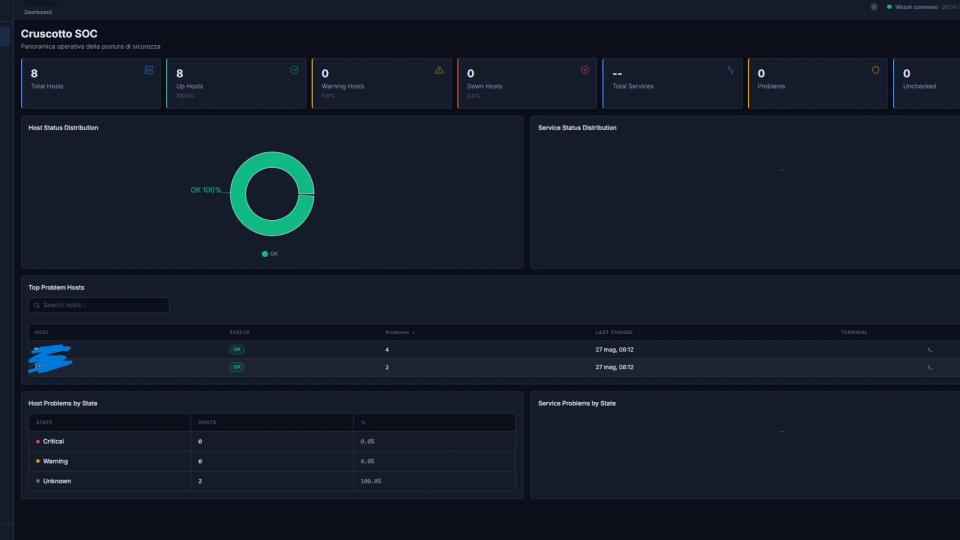
Deployed Wazuh as the central SIEM/XDR platform for Windows and Linux monitoring. Installed Wazuh agents on Windows clients, servers, Linux systems, and designated test endpoints. Collected Windows Security logs, Sysmon events, PowerShell logs, and Linux authentication and system logs for centralized analysis.
Created more than 20 custom detection rules and dashboards for common enterprise security events, including:
- Repeated failed logons and account lockouts
- Password-spraying indicators
- New user accounts and unexpected account enablement
- Changes to Domain Admins or local Administrators groups
- Encoded or suspicious PowerShell commands
- Execution from temporary, download, or user-profile directories
- Attempts to disable Microsoft Defender or Windows security controls
- Suspicious process chains, including Office applications spawning PowerShell
- Malware-related file activity and persistence behavior
- Remote-management attempts between VLANs
- Blocked inter-VLAN connections recorded by pfSense
- Inactive Wazuh agents and missing endpoint telemetry
Built dashboards to view authentication trends, alert severity, affected hosts, PowerShell activity, Sysmon process events, rule frequency, and agent health. These dashboards improved the speed of initial triage by providing a central view of user, endpoint, and network activity.
Attack Simulation and Investigation
Performed six controlled attack simulations from Kali Linux and isolated test endpoints. Each scenario was limited to the lab and documented from initial activity through detection, investigation, containment, and remediation.
Brute-Force and Password-Spraying Attempts
Simulated repeated failed logons against local and domain accounts. Verified Windows audit events, Wazuh alerts, and account-lockout controls. Investigated source systems, target accounts, event IDs, timing, and authentication patterns to distinguish a likely attack from normal failed sign-ins.
Suspicious PowerShell Activity
Executed benign test commands representing encoded execution, system discovery, and download activity. Used PowerShell logging, Sysmon process creation events, and Wazuh alerts to identify suspicious commands, user context, parent processes, and related network activity.
Privilege Escalation
Simulated unauthorized additions to local administrator groups and privileged changes using test accounts. Validated alerts for group-membership changes and documented a response process to identify the source of the change, remove access, reset credentials, and review related events.
Phishing Simulation
Used a controlled phishing scenario with a harmless attachment or link to generate realistic indicators, such as suspicious Office child processes, downloaded files, and unexpected outbound connections. Reviewed process trees, file paths, and endpoint logs to determine the scope of activity.
Malware Execution and Persistence
Used safe test artifacts and simulated persistence behavior to trigger file, process, registry, and security-control alerts. Investigated the affected endpoint by reviewing Sysmon telemetry, Wazuh alerts, command-line activity, file hashes, and network connections.
Lateral Movement
Tested authenticated remote-management and administrative-service attempts between segmented systems. Verified that pfSense rules blocked unauthorized traffic between user, guest/IoT, server, and management VLANs. Reviewed successful and blocked attempts using Windows logon events, Sysmon network events, Wazuh alerts, and pfSense firewall logs.
For each scenario, documented the attack objective, affected host, relevant telemetry, detection rule, alert severity, investigation steps, containment action, and remediation recommendation. This created repeatable incident-response exercises and helped validate how Active Directory, endpoint telemetry, firewall logs, and SIEM alerts work together during an investigation.
Results
- Built a hybrid physical and virtual enterprise security lab using pfSense, managed switching, physical endpoints, and 15+ virtual machines.
- Segmented the home network into five VLANs for user, server, management, security, and guest/IoT systems.
- Implemented deny-by-default inter-VLAN controls and least-privilege access to limit unnecessary lateral movement.
- Deployed Active Directory, DNS, DHCP, Group Policy, and role-based security groups for centralized Windows administration.
- Hardened Windows endpoints with account policies, Defender, firewall rules, PowerShell logging, Sysmon, and enhanced audit policies.
- Centralized Windows and Linux telemetry in Wazuh and developed 20+ detection rules and dashboards.
- Simulated and investigated six attack scenarios covering authentication abuse, suspicious PowerShell, privilege escalation, phishing, malware execution, and lateral movement.
- Developed hands-on experience in Windows system administration, network segmentation, SIEM monitoring, log analysis, threat detection, and incident response.